
Know who you're sending to
The recipient field now shows the whole address in groups, a picture for each address, whether you've sent there before, and warns about lookalike addresses and contracts.
Sending to the wrong address is the one mistake no route, provider or support team can undo. Most wallets show an address as 0x7f3a…5b42, and scammers know it: they make addresses that start and end with the same characters as one you trust and hope you only check the ends. Today the recipient field on the swap page starts helping you check the whole thing.
Your own wallet, at a glance
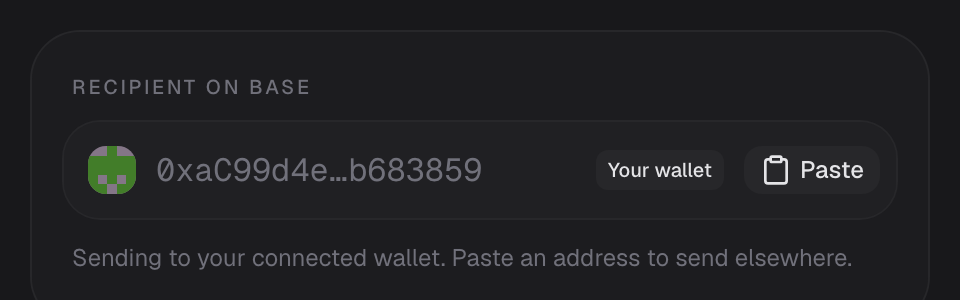
Leave the field empty and the tokens go to your connected wallet, as before. The field now says so: it shows your address with the first and last 7 characters, a Your wallet tag and a small picture made from the address.
The whole address, in groups of four
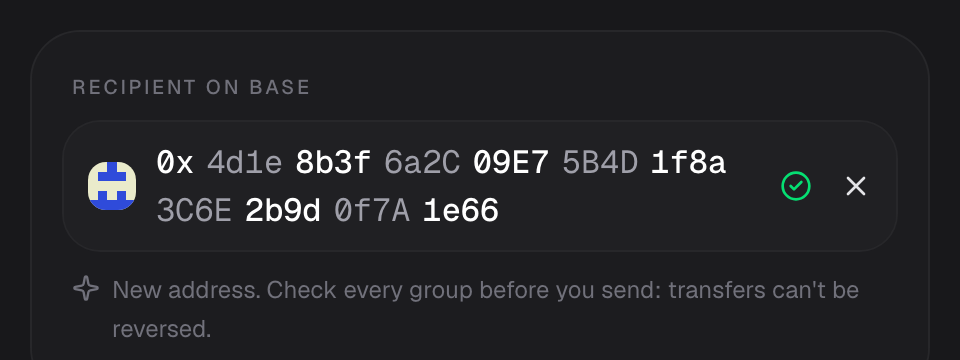
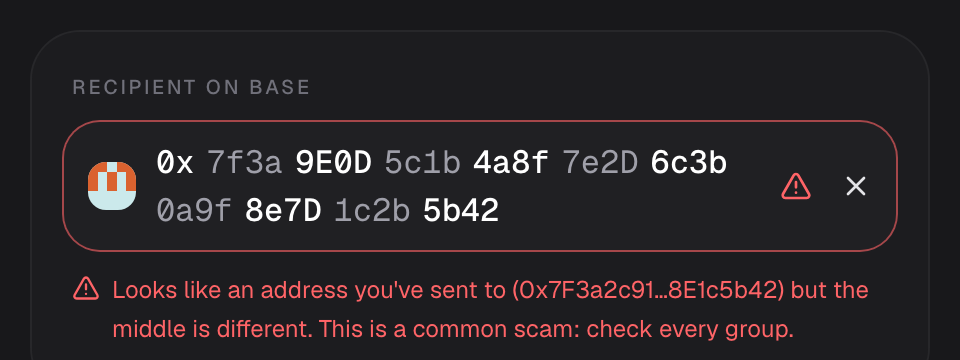
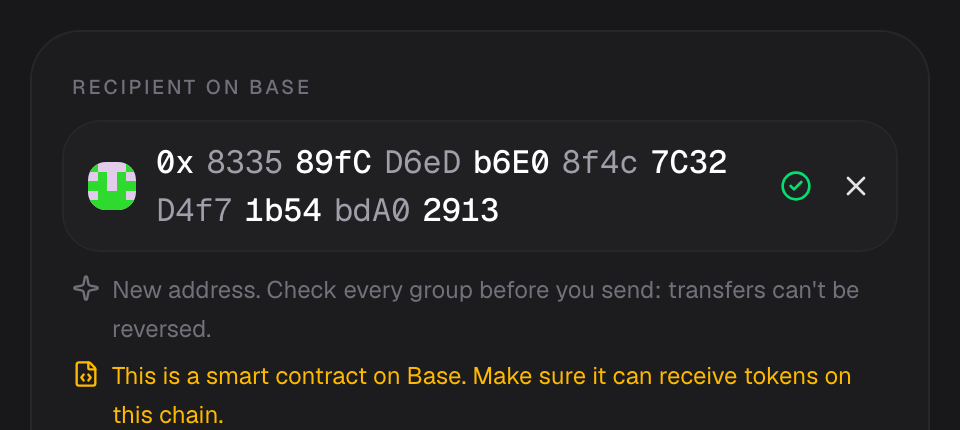
When you paste or type an address, Daggs doesn't shorten it. Once you click away from the field, it's split into groups of four, with every other group shaded, so you can compare it with the address you were given one group at a time. Click the field to edit it as plain text again.
A picture for every address
The square to the left of the address is drawn from the address itself. The same address always gets the same picture, and two addresses that differ by even one character get pictures that look nothing alike. Over time you'll recognise the addresses you use often without reading them.
Addresses you've used before
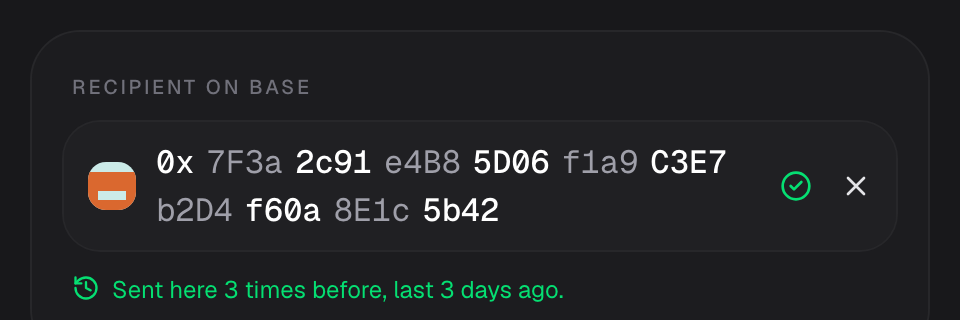
If you've sent to an address from this browser before, Daggs tells you how many times and when you last did. If the address belongs to a wallet you've connected, it says which one.
Warnings for lookalike addresses
This is the scam the change is built for, often called address poisoning. Someone sends you a tiny transfer from an address that starts and ends like one you use, so it shows up in your wallet history. Later you copy it by mistake.
If an address you enter starts and ends like one of your wallets or a past recipient, but differs in the middle, the field turns red and names the address it imitates. The grouped view makes the difference easy to see.
Smart contracts on the destination chain
On EVM chains, Daggs checks whether the address is a smart contract on the chain you're sending to. Many contracts can't do anything with tokens sent to them, and a multisig wallet set up on one chain often doesn't exist at the same address on another. If the address is a contract, you'll see a warning so you can make sure it can receive tokens there.
Bitcoin addresses
For Bitcoin, the field also tells you the address type: Taproot, SegWit, Nested SegWit or Legacy.
What stays on your device
- History is local. "Sent here before" and the lookalike check use the transfers saved in this browser. Nothing about your recipients is sent to Daggs. A new browser or device starts with no history.
- One public lookup. The contract check is a single read from the destination chain's public RPC. If that RPC doesn't answer, you just don't see the warning.
- Warnings never block you. Sending to a new address or a contract is often exactly what you mean to do. Daggs points it out and leaves the decision to you.
Try it
Open the swap page, pick a token to receive and paste an address into Recipient. For more ways to stay safe, see Safety.
Seen a scam pattern we should catch? Tell us on X or at support@daggs.xyz.